
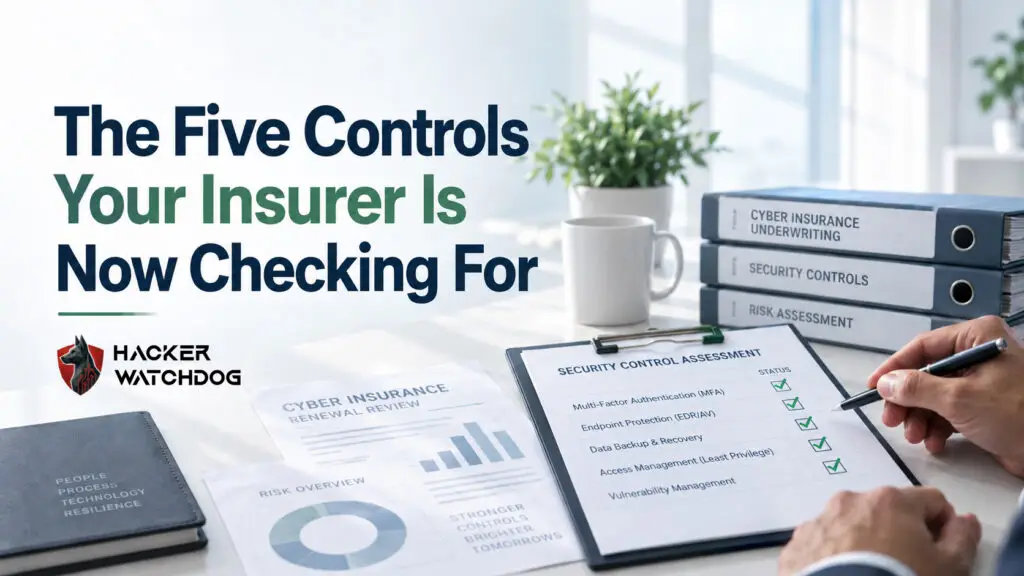
Cyber Insurance Controls are the security measures insurance carriers increasingly require before they offer or renew cyber insurance coverage. The five most common controls insurers check for are:
If you’re unsure whether your business has all five, now is a good time to review them. Missing even one could affect your eligibility, premiums, or claim outcomes.
If you’ve applied for cyber insurance recently, you’ve probably noticed the questionnaire isn’t getting any shorter.
The good news? Most carriers are looking for the same core Cyber Insurance Controls. What feels like a complicated security audit is often just a checklist of proven safeguards that reduce risk for everyone involved.
Think of these controls as the cybersecurity equivalent of smoke detectors, deadbolts, and seat belts. Insurance companies aren’t trying to make your life difficult. They’re trying to verify that you’ve taken reasonable precautions to prevent common cyber incidents.
Let’s walk through the five controls insurers care about most and how you can tell whether you already have them in place.
MFA is often the first thing insurers check.
Multi-Factor Authentication requires users to provide a second form of verification in addition to a password. That could be a code sent to a mobile device, a hardware token, or an authentication app.
Why carriers care:
Most attacks begin with stolen or guessed passwords. MFA dramatically reduces the chances that a compromised password leads to a compromised account.
How to tell if you have it:
Quick self-check:
Can an employee access business email using only a password? If the answer is yes, your MFA coverage may not be complete.
Traditional antivirus software isn’t always enough anymore.
Endpoint Detection and Response (EDR) continuously monitors computers and devices for suspicious activity. Unlike basic antivirus tools that focus on known threats, EDR can identify unusual behavior that may indicate an attack in progress.
Why carriers care:
Cyber criminals constantly create new techniques that bypass signature-based antivirus products. EDR helps organizations detect and contain threats before they spread.
How to tell if you have it:
Quick self-check:
If your protection strategy is limited to antivirus software that came preinstalled on devices, it’s worth confirming whether EDR protection exists.
Backups remain one of the most important defenses against ransomware.
A backup is a protected copy of your business data that can be restored if systems are damaged, encrypted, or deleted.
Why carriers care:
Organizations with reliable backups can recover much faster from cyber incidents. That often means smaller claims and shorter business interruptions.
How to tell if you have it:
Quick self-check:
If a ransomware attack encrypted every server tomorrow, could you confidently restore operations from backup copies? If you’re unsure, it’s time to investigate.
Technology alone cannot stop every attack.
Employees remain one of the most common targets for phishing emails, fraudulent invoices, and social engineering attacks.
Security awareness training helps employees recognize suspicious activity before it becomes a security incident.
Why carriers care:
Human error contributes to many cyber insurance claims. Training reduces the likelihood of employees clicking malicious links or sharing sensitive information with attackers.
How to tell if you have it:
Quick self-check:
Ask a few employees what they would do if they received a suspicious email from the CEO requesting an urgent payment. Their answers can reveal a lot.
The fifth item on many insurer questionnaires is vulnerability and patch management.
In simple terms, patch management means keeping software, operating systems, devices, and applications up to date.
Why carriers care:
Attackers often exploit known vulnerabilities that already have available fixes. Applying updates closes those security gaps before criminals can take advantage of them.
How to tell if you have it:
Quick self-check:
Do you know which computers, servers, and applications are overdue for updates? If not, this area may need attention.
Before your next insurance renewal, ask yourself:
If you can confidently check all five boxes, you’re already in a stronger position than many businesses completing cyber insurance applications today.
The reality is simple. These five Cyber Insurance Controls consistently help organizations prevent, detect, and recover from cyber incidents.
Insurers know that businesses with these protections are generally less likely to experience devastating losses. That’s why these controls continue showing up on renewal forms, underwriting reviews, and cybersecurity questionnaires.
The good news is that none of these protections require a massive enterprise budget. With the right guidance, most small and midsize businesses can implement them effectively and significantly improve both their security posture and insurability.
Completing an insurance questionnaire shouldn’t feel like decoding a security manual.
At Hacker Watchdog, we help businesses identify missing Cyber Insurance Controls, understand insurer requirements, and strengthen their security posture before renewal time.
Cyber Insurance Controls are security measures that insurers evaluate when determining eligibility, pricing, and coverage terms for cyber insurance policies.
In many cases, yes. MFA has become one of the most commonly required controls because it helps prevent unauthorized account access caused by stolen credentials.
Not always. Traditional antivirus software focuses on known threats, while EDR provides additional monitoring, detection, and response capabilities.
At minimum, organizations should periodically test backup restoration to confirm data can be recovered successfully during an incident.
Yes. Trained employees are more likely to identify phishing emails, suspicious links, and social engineering attempts before damage occurs.
This site is protected by reCAPTCHA and the Google Privacy Policy and Terms of Service apply.
Use our free Business Security Checklist to quickly identify common cybersecurity gaps and the practical steps your business can take to address them.
Enter your information below and we’ll email the free checklist directly to you.
By submitting this form, you agree to receive the requested resource and occasional communications from Hacker Watchdog. You can unsubscribe at any time. Your information will be handled in accordance with our Privacy Policy.
Learn how scammers manipulate people into giving up money, passwords, and personal information with our free Scam Defence Workshop.
Enter your information below and we’ll email the free workshop directly to you.
By submitting this form, you agree to receive the requested resource and occasional communications from Hacker Watchdog. You can unsubscribe at any time. Your information will be handled in accordance with our Privacy Policy.
Download our free Individual Online Banking Hygiene Guide and learn simple, practical steps to protect your accounts, personal information, and money from common online threats.
Enter your information below and we’ll email the free guide directly to you.
By submitting this form, you agree to receive the requested resource and occasional communications from Hacker Watchdog. You can unsubscribe at any time. Your information will be handled in accordance with our Privacy Policy.
By clicking “Accept All" button, you agree to the storing of cookies on your device to enhance site navigation, analyze site usage, and assist in our marketing efforts. Privacy Policy Cookie Policy